Best Label Makers and Bluetooth Label Printers in 2026
Compare the best label makers for home organization, classrooms, offices and small businesses. We evaluated print width, 203 DPI thermal output, Bluetooth and computer compatibility, app templates, rechargeable power, tape options, cutters and shipping-label support.
Detailed analysis of each leading product, including audience fit, limitations, value and purchase information.
#1Phomemo D30 Bluetooth Mini Label Maker with Tape
Product overview
The Phomemo D30 is our best Bluetooth label maker for users who want a compact machine without being locked into fixed-length labels. Its rechargeable pocket-size body works through the Print Master app, which supports text, icons, borders, tables, QR codes, barcodes, OCR and batch-data tools. Compatibility with both continuous and die-cut thermal tape makes it a flexible mini label maker for home organization, classroom bins, medicine dates and small product tags. It prints black output only, so colorful results depend on pre-colored or patterned label stock rather than full-color printing.
Who it is for
✓Home organizers who need both continuous and fixed-length tape
✓Teachers and students wanting templates, icons and name labels
✓Mobile users seeking a rechargeable portable thermal label printer
Who should skip it
–Businesses that need standard 4x6 shipping labels
–Users who require standalone printing without a phone app
–Buyers expecting full-color printed graphics
Core value and ownership cost
The D30's value comes from tape flexibility and a broad app toolset in a very small body. Before buying, check current Print Master subscription boundaries, phone compatibility and refill prices. Thermal printers avoid ink but still create recurring tape costs, so compare cost per usable label rather than the printer price alone.
#2Nelko P21 Bluetooth Label Maker Machine with Tape
Product overview
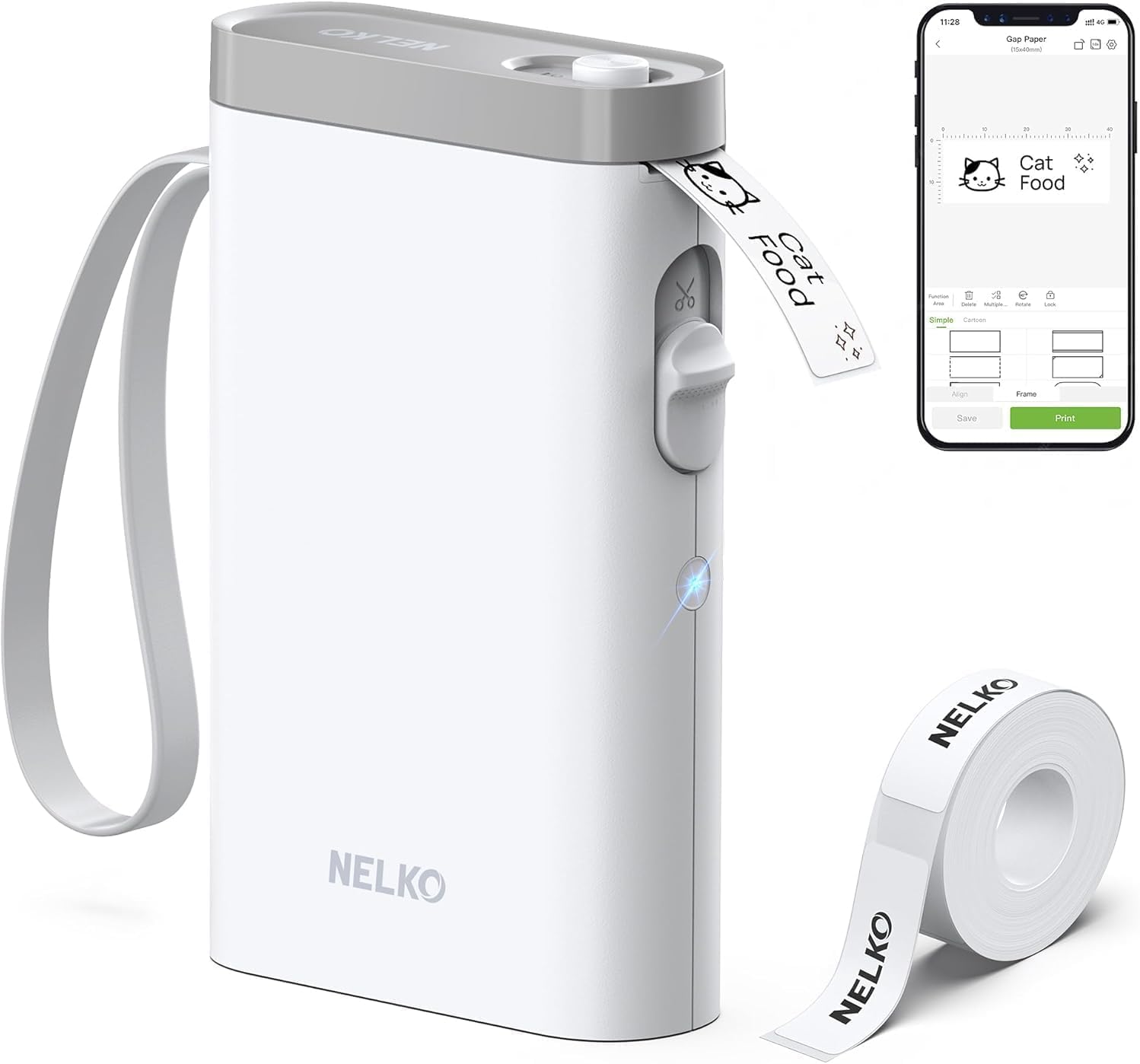
The Nelko P21 is the best value label maker for teachers and straightforward household labeling. It produces 203 DPI monochrome labels from a rechargeable handheld body and uses the Nelko mobile app for text, images, icons, QR codes, barcodes and quick templates. Fixed die-cut media simplifies repeated name tags and bin labels because each piece is already sized, but it removes the custom-length flexibility offered by the Phomemo D30. The listing also says the P21 does not work with computers, so every design and print job depends on a supported iOS or Android phone.
Who it is for
✓Teachers labeling classroom bins, folders, cubbies and supplies
✓Budget buyers who prefer fixed labels and a built-in cutter
✓Phone users wanting a simple Bluetooth label maker machine with tape
–Users with an unsupported phone or operating-system version
Core value and compatibility check
The P21 offers strong value through low entry cost, a large existing review base and easy fixed-label templates. Verify the current app version and exact phone compatibility before ordering; the captured listing notes an Android limitation and no computer support. Also compare genuine-label pricing because damaged registration marks or incompatible media can affect alignment.
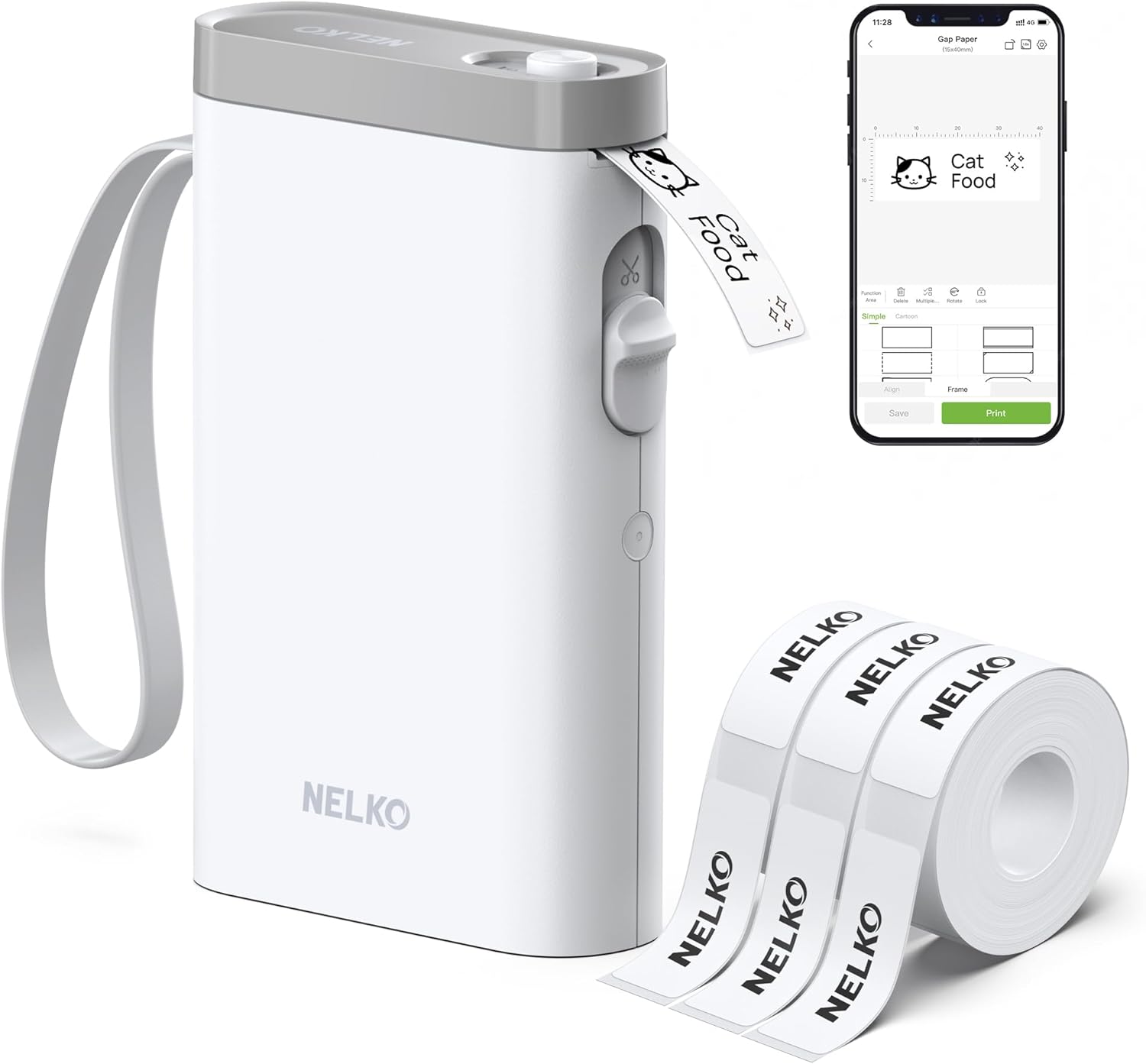
This Nelko P21 bundle uses the same basic phone-first 203 DPI workflow as the standard P21 but includes three 14 x 40 mm label rolls, giving a new user enough media for immediate classroom, pantry or office projects. That makes it a practical mini label maker starter kit when the bundle price is close to the printer-only listing. The app supports templates, text, borders, images, QR codes and barcodes, while the rechargeable body remains easy to carry. Its younger review history and fixed 14 x 40 mm bundle format make it less proven and less flexible than broader tape systems.
Who it is for
✓First-time buyers who want a label maker with three starter rolls
✓Repeated name, pantry and classroom labels in one compact size
✓Gift buyers who want a ready-to-use Bluetooth label printer bundle
Who should skip it
–Users needing continuous tape or several label widths
–Computer-based office workflows
–Buyers who prefer a product with a longer review history
Bundle value and purchase protection
Judge this version by the live price difference between the three-roll bundle and standard P21, not by accessories alone. Confirm the quantity of labels per roll, app compatibility, current seller and return window. It is attractive when the included consumables cost less than buying them separately, but it does not add computer or continuous-tape support.
#4Phomemo 241BT Bluetooth 4x6 Shipping Label Printer
Product overview
The Phomemo 241BT is the dedicated 4x6 Bluetooth shipping label printer in this comparison. Its 1- to 4.6-inch media range handles standard carrier labels as well as narrower address and barcode stock, while the stated 150 mm/s speed is intended for higher-volume packing sessions. Mobile printing uses the Labelife app, and supported desktop workflows connect through Bluetooth or USB with the required driver or extension. Unlike pocket organization labelers, this plug-in desktop thermal printer is designed around Shopify, Amazon, Etsy, UPS, USPS and FedEx shipping tasks.
Who it is for
✓Online sellers printing standard 4x6 carrier labels
✓Small businesses needing a fast thermal label printer without ink
✓Workflows spanning mobile devices and supported desktop systems
Who should skip it
–Pocket labeling, classroom bins or tiny decorative labels
–Users who need a battery-powered portable printer
–Businesses that require full-color product labels
Business value and workflow check
The 241BT saves the most time when shipping volume justifies a dedicated wide printer. Before ordering, test the exact marketplace, carrier, browser, driver and operating-system workflow you use because mobile and desktop connection steps differ. Confirm label-roll or fanfold compatibility, technical support and return terms before relying on it for daily fulfillment.
The Ponek M100 fills the gap between a narrow mini labeler and a full 4x6 shipping printer. Its approximately 0.78- to 2-inch media range provides enough room for product names, logos, address labels, barcodes and QR codes, making it a useful barcode label maker for small business as well as home storage. The 203 DPI printer connects to iOS and Android through Bluetooth and supports computer printing through a USB workflow. At about 0.6 lb it remains portable, although wider labels and app-based layout work require more setup than a simple fixed-size name label.
Who it is for
✓Small businesses printing barcodes, QR codes and product information
✓Home and office users who need labels wider than mini label tape
✓Buyers wanting both mobile Bluetooth and supported computer printing
Who should skip it
–Standard 4x6 shipping-label workflows
–Users who only need tiny fixed name labels
–Buyers unwilling to verify which app templates require premium access
Core value and recurring costs
The M100's value is its versatile two-inch class rather than maximum speed or smallest size. Verify the exact compatible media, mobile app, PC software and any premium-template restrictions before purchase. The stated per-charge label count depends on label length, print density, battery condition and use, so it should be treated as a manufacturer maximum rather than a guaranteed result.
The best label maker is the one that matches your label width, workflow and refill budget. A pocket Bluetooth label maker is ideal for pantry bins, classroom supplies and name labels, while a 2-inch barcode printer suits product labels and a 4x6 thermal label printer is built for shipping. All seven products avoid ink or toner, but they use different thermal media, apps, tape cartridges and power systems that are not interchangeable.
Bluetooth Label Maker vs Standalone Label Maker
A Bluetooth label maker moves design work to a phone, giving you more fonts, icons, QR codes and image tools on a larger screen. The tradeoff is dependence on an app, account policies, operating-system compatibility and firmware support. The Brother P-Touch PT-D210 uses its own keyboard and display, so it works without a phone and remains practical in shared offices, classrooms and supply rooms where several people need predictable access.
Choose Label Width Before Choosing a Printer
Mini label makers typically print narrow name, date and storage labels. Two-inch printers provide room for barcodes, product information, logos and addresses. A 4x6 shipping label printer is physically larger because it must accept carrier labels. Measure jars, bins, cables, folders and packages, then choose a printer whose minimum and maximum media widths cover those jobs. Buying a wide printer for tiny labels can waste material, while narrow tape cannot hold a readable shipping barcode.
Best Label Maker for Home Organization
For a label maker for home organization, prioritize compact storage, rechargeable power, fast templates and affordable refill tape. The Phomemo D30 supports both fixed and continuous tape, which provides flexibility for pantry labels, dates, medicine organizers and garage bins. Nelko P21 is simpler but uses fixed-length labels. SUPVAN and Ponek handle wider labels for larger containers and detailed information. Choose water-resistant media for kitchens, bathrooms and cleaning supplies.
Label Maker for Teachers and Classroom Supplies
A label maker for teachers should print clear names and category labels quickly, fit in a desk drawer and have predictable refill costs. Phone-based templates speed up repeated labels for bins, cubbies, folders and classroom libraries. A standalone Brother machine is easier to share without pairing phones. Before labeling water bottles or lunch containers, confirm that the specific tape is water resistant and suitable for the expected washing method; printer compatibility alone does not make every tape dishwasher safe.
Thermal Label Printer for Small Business
Small businesses need to separate product labeling from shipping. Ponek M100 and SUPVAN T50M Pro can print wider product names, barcodes, QR codes and address labels up to about two inches. The Phomemo 241BT handles 4x6 carrier labels and connects with common marketplace and shipping workflows. Verify the exact platform, browser, driver and connection method you use before purchase; Bluetooth support on a phone does not guarantee the same workflow on a Windows or Mac computer.
203 DPI, Print Speed and Barcode Readability
203 DPI is common in compact thermal printers and is sufficient for ordinary text, icons and correctly sized barcodes. Readability also depends on label material, darkness setting, print-head cleanliness and source-image quality. Avoid shrinking QR codes or fine logos until lines merge. Print a sample and scan every barcode with the actual point-of-sale or carrier workflow before producing a large batch. Higher speed matters for shipping volume, while careful layout matters more for home labels.
Direct Thermal Labels vs Laminated Tape
Direct thermal labels contain heat-sensitive material and require no ink, toner or ribbon. They are convenient and inexpensive but can darken or fade with heat, sunlight and time. Brother TZe laminated tape uses a different cartridge system designed for more durable indoor and outdoor identification. For archival files, freezer storage, cables or long-term outdoor exposure, confirm the specific tape's temperature, water, UV and adhesive ratings instead of relying on the printer's general marketing description.
App Privacy, Subscriptions and Compatibility
Check whether the label maker app requires registration, collects cloud data or reserves some templates for a subscription. Ponek notes that diamond-marked templates require premium membership, while SUPVAN describes its app tools as free. Nelko P21 does not support computers and its listing notes a specific Android compatibility limitation, so verify the current app version and your exact phone before ordering. Export or save reusable designs when the app supports it.
Label Tape Cost and Waste
Refill media usually costs more over the printer's life than the machine itself. Compare price per label or usable foot, not only roll price. Fixed die-cut labels reduce trimming but limit layout length. Continuous tape supports custom lengths but can leave cutting margins. Automatic recognition and first-label rewind can reduce waste when they work with compatible media. Confirm whether third-party labels affect print quality, sensors or warranty coverage.
How to Choose a Portable Label Maker
List the exact label widths and shapes needed for bins, cables, products or packages.
Choose between a phone app, computer software and a standalone keyboard workflow.
Confirm iOS, Android, Windows, macOS or Chrome OS compatibility for the exact connection method.
Check print resolution, barcode requirements and expected daily label volume.
Calculate refill cost, cutter waste and whether proprietary media is required.
Verify the live Amazon seller, bundle contents, return window and technical support before ordering.
Label Maker FAQ
The Phomemo D30 is our best overall home pick because it is compact, rechargeable and supports both fixed and continuous tape through a feature-rich app. Nelko P21 is a strong value option for fixed-length labels.
These models use thermal technology and do not need ink or toner. They still require compatible heat-sensitive labels or tape, which determine color, durability, width and adhesive performance.
Phomemo 241BT is the appropriate pick here for standard 4x6 shipping labels. The smaller D30 and P21 are organization label makers and cannot replace a wide carrier-label printer.
The printers produce black thermal output. You can create a color effect by using compatible pre-colored or patterned label material, but they do not print full-color graphics like an inkjet printer.
Usually, when the code is sized correctly and printed on good media. Test scan every design in the actual sales or shipping system before printing a large batch.
Some label stocks are water resistant, but not every thermal label is waterproof, freezer safe, dishwasher safe or UV resistant. Check the exact refill-media specification rather than the printer alone.
Amazon does not consistently display recent purchase counts or verifiable reference-price discounts for every listing. We leave those fields empty when they cannot be confirmed.
Get weekly top picks
Data-ranked products delivered to your inbox every week. Skip the research, get the winners.
No spam ever. Unsubscribe anytime. We respect your inbox.