AI Mockup Generator vs Photoshop: Is AI Replacing Designers?
Compare AI mockup generators and Photoshop for speed, quality, and cost, and find out whether AI is really replacing designers in 2026.
The debate over an AI mockup generator vs Photoshop has become one of the most common questions in the design world, and it usually leads to a bigger one: is AI replacing designers? In 2026 a solo seller can create a photorealistic product mockup in under a minute using an AI mockup generator, a task that once required Photoshop skills, stock photography, and an hour of careful masking. That shift is real, but the conclusion that AI is making designers obsolete misreads what each tool actually does.
This guide compares AI mockup generators and Photoshop across speed, quality, control, and cost, then answers the question honestly: AI is changing how design work happens, not erasing the need for designers. If you want to try the tools discussed here, our ranking of the best online design and mockup tools compares the leading options side by side.
AI mockup generator vs Photoshop at a glance
| Factor | AI Mockup Generator | Adobe Photoshop |
|---|---|---|
| Speed | Seconds to minutes per mockup from a template | Minutes to hours per composition, done manually |
| Learning curve | Beginner-friendly, no design skills required | Steep; layers, masks, smart objects, and lighting |
| Creative control | Limited to available templates and presets | Near-total pixel-level control over every element |
| Best use case | Fast product mockups, print-on-demand, social ads | Custom, brand-specific, or highly detailed artwork |
| Cost | Free tiers or low monthly subscriptions | Ongoing Creative Cloud subscription plus skill time |
| Output consistency | Very consistent across many variations | Depends on the designer's skill and time |
What an AI mockup generator actually does
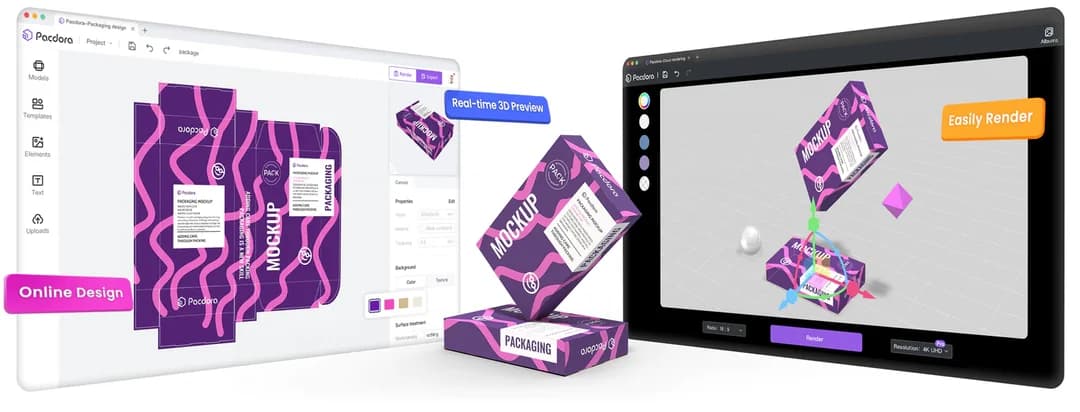
An AI mockup generator lets you drop a logo, design, or product photo onto a ready-made template and instantly see it rendered on a realistic object such as a t-shirt, coffee mug, phone screen, or packaging box. Modern tools use AI to handle perspective, lighting, and fabric warp automatically, so the artwork looks like it belongs on the surface. The appeal is obvious: you skip the photoshoot, the stock imagery, and the manual masking, and you get a usable image in seconds.
This speed is why an AI mockup generator has become the default for print-on-demand sellers, e-commerce stores, and social media marketers who need dozens of product mockups per week. Instead of paying for a custom render every time a design changes, a seller can generate a new mockup for each color, size, or seasonal variation in minutes. For high-volume, template-friendly work, this is where AI genuinely outperforms manual design software.
Where Photoshop still wins
Photoshop remains the industry standard because it offers pixel-level control that no AI mockup generator can match. When a brand needs a bespoke scene, an unusual product, precise color grading, retouching, or a composite that combines several images with custom lighting, Photoshop is the tool that delivers. AI templates are limited to the scenes their library provides; Photoshop can build any scene you can imagine, which is exactly what agencies, photographers, and brand designers are paid for.
There is also the question of originality. Because an AI mockup generator draws on shared templates, thousands of other sellers may produce visually similar results. A skilled designer using Photoshop can craft a distinctive look that reinforces a brand's identity, something that matters more as AI-generated visuals become more common and more uniform. Control, originality, and problem-solving are still human strengths.
Is AI replacing designers, or changing their role?
The honest answer to whether AI is replacing designers is: it is replacing certain tasks, not the profession. Repetitive, template-driven production work, such as generating hundreds of mockups or resizing assets for every platform, is increasingly automated. Designers who spent most of their time on that kind of production may feel the pressure first. But the strategic, creative, and brand-level work that clients truly pay for is not something an AI mockup generator can do on its own.
In practice, the most productive designers in 2026 use both. They reach for an AI mockup generator to produce drafts, product previews, and variations at speed, then switch to Photoshop for the custom, high-value work that needs a human eye. Rather than AI replacing designers, it is shifting the role toward creative direction, art direction, and curation, while automating the mechanical steps that used to consume hours.
- Use an AI mockup generator for fast product mockups, print-on-demand previews, and social media variations.
- Use Photoshop for custom scenes, retouching, compositing, and brand-defining visuals.
- Let AI handle repetitive production so you can spend more time on strategy and creative direction.
- Treat AI output as a starting point and refine it, rather than shipping the first result unedited.
- Build a workflow that moves quickly from AI draft to polished, on-brand final asset.
Choosing between an AI mockup generator and Photoshop
The right choice depends on your goal, not on which tool is objectively better. If you are a print-on-demand seller, a small business owner, or a marketer who needs a steady stream of clean product mockups, an AI mockup generator will save you enormous time and often replaces the need for Photoshop entirely. Many of these design tools offer a free plan, so you can test the workflow before paying anything.
If you are a professional designer, an agency, or a brand that depends on a distinctive visual identity, Photoshop remains essential, and an AI mockup generator becomes a complement that speeds up the early stages. The strongest setup for most creative teams is not one or the other but a combination: AI for speed and volume, Photoshop for control and originality.
Frequently asked questions
So in the AI mockup generator vs Photoshop debate, the winner is the workflow that fits your goal. AI is not replacing designers so much as raising the baseline: routine production is now fast and cheap, which frees skilled designers to focus on the strategy, originality, and craft that AI cannot replicate. Choose an AI mockup generator when speed and volume matter, keep Photoshop for control and custom work, and compare the leading design tools before you commit so your workflow matches the kind of visuals you actually create.
Compare the top picks
Our full rankings for the products covered in this guide.