How to Choose a Dash Cam: Features That Matter
Use this dash cam buying guide to compare video quality, front and rear coverage, night recording, parking mode, storage, GPS, and installation.
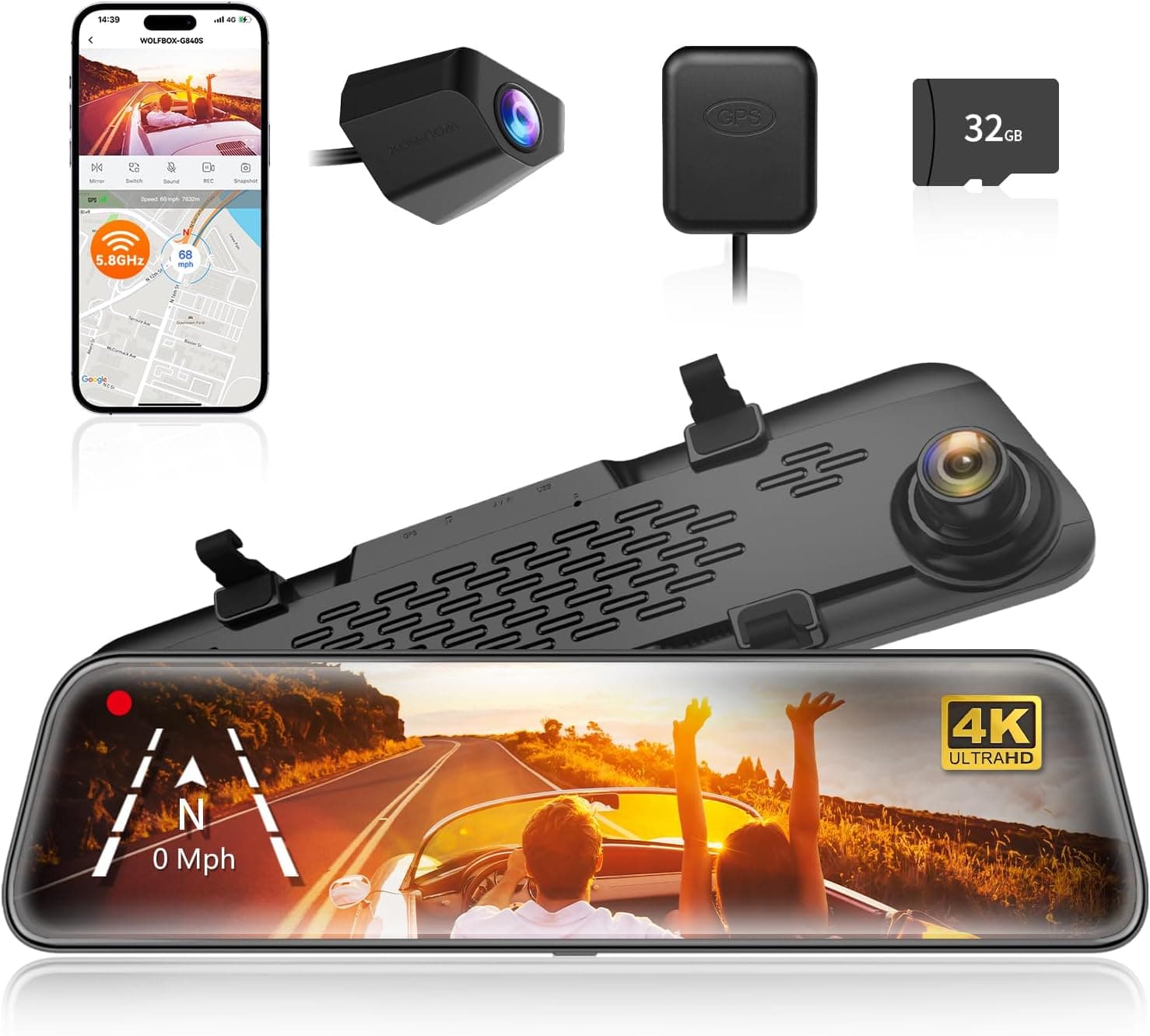
Learning how to choose a dash cam starts with the footage you need to preserve. Resolution matters, but a large pixel count does not guarantee readable license plates, balanced night video, reliable file saving, or useful parking protection. Sensor quality, lens design, exposure, bitrate, storage, power, and installation all affect the final evidence.
This dash cam buying guide explains front and rear coverage, video quality, night recording, field of view, parking mode, memory cards, GPS, Wi-Fi, power options, installation, and privacy. Use it to identify the best dash cam features for your vehicle and driving routine without paying for specifications that do not improve reliability.
Dash cam buying guide at a glance
| Driver or vehicle need | Features to prioritize | What to verify |
|---|---|---|
| Daily commuting | Reliable loop recording, clear front video, simple controls | Startup reliability, storage support, and readable footage in mixed light |
| Front and rear evidence | Dual-channel recording, good rear-camera quality, long cable | Resolution and frame rate when both cameras record together |
| Night driving | Strong low-light sensor, balanced exposure, HDR or WDR | Whether plates and road details remain visible near headlights and streetlights |
| Parking protection | Buffered event recording, impact detection, low-voltage cutoff | Hardwire or battery requirements and expected parked runtime |
| Rideshare or commercial use | Cabin camera, infrared interior lights, audio controls | Consent, audio-recording, privacy, and company-policy requirements |
| Hot climate | Capacitor-based power design, documented temperature range | Memory-card endurance and whether parking heat exceeds operating limits |
1. Choose the camera coverage you actually need
A front dash cam records the road ahead and offers the simplest installation. It can document traffic signals, lane position, road conditions, and the events leading to a collision. For many drivers, a dependable single-channel camera provides more value than a complex system that is difficult to install or maintain.
A front and rear dash cam adds evidence for rear impacts, tailgating, parking incidents, and activity behind the vehicle. Three-channel systems may add a cabin or side-facing camera for rideshare, taxi, fleet, or interior monitoring. Each additional channel increases wiring, storage use, processing demand, and installation complexity.
- Single-channel systems are compact and preserve the highest front-camera bitrate at a given price.
- Dual-channel systems cover the front and rear but require routing a cable through the cabin.
- Cabin cameras should have suitable infrared illumination for a dark interior.
- Truck and trailer systems may require longer cables and weather-resistant exterior cameras.
- Convertible, hatchback, and powered-liftgate designs need careful rear-camera placement.
- Review total resolution and frame rate with every included camera active.
2. Look beyond 4K resolution
A 4K dash cam can preserve more detail than a lower-resolution model, but only when the image sensor, lens, focus, bitrate, exposure, and compression support it. Some cameras advertise an interpolated or upscaled output that does not add true detail. Compare original footage from moving vehicles rather than judging resolution labels or still promotional images.
Bitrate determines how much data is available to describe each second of video. Heavy compression can blur road texture, signs, and plates during motion even at high resolution. A higher frame rate may make motion easier to review, but it can reduce low-light exposure time or increase storage use. The best setting balances detail, smoothness, night performance, heat, and card capacity.
3. Compare night vision, HDR, and exposure
Night driving challenges a dash cam with dark roads, bright headlights, reflective signs, and sudden changes in illumination. A larger or newer image sensor can collect more useful light, while good processing controls noise and preserves shadow detail. High dynamic range, or HDR, may combine exposures to reduce blown highlights and recover dark areas, though implementation varies.
Infrared lights are useful mainly for a cabin camera because infrared light behind a windshield reflects from the glass and does not illuminate a distant road. For exterior recording, compare real footage on unlit roads, under streetlights, in rain, and near oncoming traffic. Check whether rear-camera quality falls sharply after dark.
4. Select a practical field of view
A wide field of view can capture adjacent lanes, sidewalks, and events approaching from the side. An extremely wide lens makes distant vehicles and plates appear smaller and can introduce distortion near the edges. A moderate view with good detail often provides a better balance than choosing the largest advertised angle.
Field-of-view claims may be measured diagonally, horizontally, or under different crop settings, so numbers are not always directly comparable. Position the camera close to the windshield and near the centerline of the vehicle to reduce reflections and provide a natural perspective.
5. Understand loop recording and file protection
Dash cams record short files in a continuous loop. When the memory card is full, the camera overwrites the oldest ordinary clip. An impact sensor, emergency button, or voice command can protect an event file from normal overwriting. Protected storage is limited, so locked clips must still be reviewed and backed up.
A G-sensor that is too sensitive may lock files after potholes and fill the protected partition. If it is not sensitive enough, a minor collision may not trigger automatic protection. Adjustable sensitivity and an accessible manual save control are valuable. After any incident, stop recording when safe and copy all relevant files before they can be overwritten.
6. Use a compatible high-endurance memory card
Continuous recording is demanding on flash storage. Use a high-endurance microSD card whose capacity and speed are explicitly supported by the dash cam manufacturer. A general-purpose card may fail early under constant rewriting, heat, and cold. The largest card available is not useful if the camera firmware cannot address it reliably.
- Check the supported minimum and maximum microSD capacity.
- Choose an endurance rating intended for continuous video recording.
- Format the card in the camera at the interval recommended by the manufacturer.
- Watch for recording warnings, unexpected restarts, corrupt files, and missing clips.
- Review sample footage regularly instead of assuming the system is recording correctly.
- Replace a failing card immediately and keep a compatible spare available.
7. Choose the right parking mode
Dash cam parking mode normally requires constant power after the ignition is off. A hardwire kit connects to suitable vehicle circuits and should include configurable low-voltage protection. An external dash cam battery can isolate parking use from the starter battery but adds cost, charging requirements, heat considerations, and installation space.
| Parking mode | How it works | Tradeoff |
|---|---|---|
| Buffered event recording | Continuously holds a short video buffer and saves footage from before and after an impact or motion trigger | Offers useful context but requires continuous processing and power |
| Impact detection | Wakes or saves video after the G-sensor detects movement | Low-power designs may miss the events before startup |
| Motion detection | Records when movement enters the scene | Busy areas can generate many clips and increase power use |
| Time-lapse recording | Captures fewer frames over a long parked period | Provides broad coverage but less motion detail and possibly no audio |
| Low-bitrate recording | Records continuously with reduced data rate | Preserves event continuity while using more energy than some trigger modes |
8. Decide whether GPS, Wi-Fi, and cloud features matter
GPS can embed or associate time, position, route, and speed data with video. This context may be helpful, but it also creates sensitive location records. Many cameras let users disable speed stamping while retaining location data. Confirm whether GPS is built in or requires an external module.
Wi-Fi simplifies changing settings and downloading short clips to a phone, but transferring high-resolution files can be slow. Some cameras support faster wireless bands or removable cards for efficient copying. Cloud-connected models may offer remote alerts, live view, location, or uploaded events, usually with additional hardware, vehicle connectivity, data plans, or subscriptions.
9. Compare power design and temperature tolerance
Many dash cams use a supercapacitor instead of a conventional internal lithium battery. A capacitor provides enough stored energy to close the current file after power is removed and can tolerate vehicle heat better, but it does not operate the camera for long without external power. Small battery-based cameras may offer brief operation after unplugging, yet heat can shorten battery life.
A parked vehicle can become much hotter than the outdoor temperature. Compare documented operating and storage ranges, especially in hot or cold climates. Thermal shutdown protects hardware but creates recording gaps. Mounting location, windshield tint, direct sun, active channels, resolution, and parking duration all affect heat.
10. Install the dash cam safely
Mount the front camera high on the windshield where it has a clear view but does not obstruct the driver. Keep the lens within the area cleaned by the windshield wipers. Clean the glass before applying an adhesive mount, level the horizon, and include enough dashboard in the frame to provide context without wasting most of the image.
Route power and rear-camera cables away from the driver's controls, pedals, sharp edges, moving trim, and airbag deployment paths. Do not tuck a cable across an A-pillar airbag without following vehicle service information. Modern vehicles may have complex electrical systems, so professional installation is sensible when fuse selection, battery management, warranty, or trim removal is uncertain.
11. Review privacy and recording laws
Rules for windshield mounting, driver visibility, audio recording, passenger consent, surveillance, and sharing footage differ by country, state, and locality. Rideshare and commercial drivers may also have platform or employer requirements. Check the laws that apply where the vehicle is used rather than assuming a product's default settings are legal.
Dash cam video can contain faces, license plates, conversations, home locations, and travel routines. Secure the camera account, Wi-Fi password, memory card, and cloud access. Share only the footage needed for a legitimate purpose, preserve original files after an incident, and seek qualified legal advice when evidence handling or publication is uncertain.
Dash cam buying checklist
- Choose front-only, front and rear, or front, rear, and cabin coverage.
- Compare original daytime and night footage, not resolution labels alone.
- Check bitrate, frame rate, HDR performance, and practical field of view.
- Confirm loop recording, manual event saving, and adjustable G-sensor sensitivity.
- Use a supported high-endurance memory card with enough capacity.
- Select a parking mode and power method that protects the starter battery.
- Review GPS, Wi-Fi, cloud, app, subscription, and privacy requirements.
- Check temperature ratings, warranty, cable length, and replacement accessories.
- Plan a legal installation that does not obstruct vision or interfere with airbags.
Frequently asked questions
The best answer to how to choose a dash cam is to prioritize reliable recording, useful camera coverage, readable real-world footage, durable storage, and safe installation. Select parking and connected features only when their power, privacy, and subscription requirements fit your needs. A dependable camera that is installed correctly and checked regularly is more valuable than a higher-spec model that fails to save the clip you need.
Compare the top picks
Our full rankings for the products covered in this guide.